Contact
Skip to main content


Vibe coding describes a workflow where you describe what you want to build in natural language, after which an AI assistant generates and refines the code. Instead of writing code line by line, you guide the process through conversation: "Create a contact form with validation" or "Build a dashboard that visualizes data".
This makes software development accessible to designers, product owners, and entrepreneurs without a technical background. Experienced developers also use vibe coding to work faster and focus on complex architecture. For companies that want to innovate quickly or test prototypes, this opens up enormous possibilities. But like any new technology, there are pitfalls you can avoid.
Below you'll find the key principles for making optimal use of vibe coding.
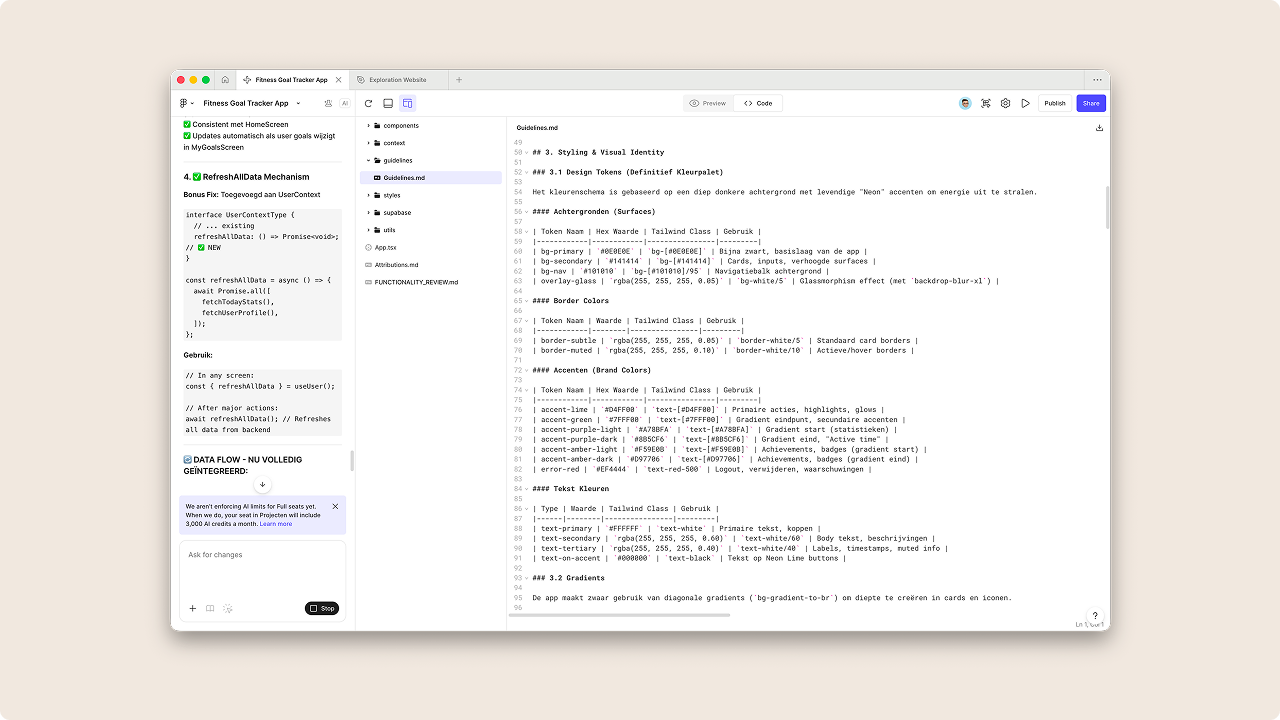
Don't start writing prompts right away. You get the best results by first laying a foundation. With various tools, it's possible to create a readme.md file or guidelines with a detailed plan for your application. Think of features, style guidelines, context, and code structure. This helps the AI stay focused.
Or first ask the AI: "Create a plan, but don't write any code yet." Only when you approve the plan do you give the green light for the code. This prevents the AI from running off in the wrong direction like an "overenthusiastic intern".
Tip: Keep referring to the guidelines file while writing your prompt. You can use AI tools like Gemini or ChatGPT to help you write these guidelines. Preferably use markdown as the structure for your guidelines file, as this gives the best results.
Markdown is a simple way to format text using symbols. For example: # for headings, **text** for bold, and - for bullet points. You can write markdown in any text program, such as Notepad or TextEdit. AI tools recognize this structure well, which makes your prompts come across more clearly.
Not every AI coding tool is the same. The landscape is changing rapidly, but roughly you can divide them into two categories:
Idea-to-App (The Starters): Tools like Lovable.dev, Bolt.new, or Figma make. These are perfect for setting up a new project from scratch. They run in the browser, manage the environment for you, and are ideal for MVPs and quick prototypes.
Co-Pilots (The Professionals): Tools like Cursor or GitHub Copilot. These live in your code editor. They're better suited for existing projects, complex backend integrations, and production-ready applications. Use these when you want more control over the architecture.
It's important to build your app in smaller steps. If you try to create your entire app and workflow with a single prompt, there's a good chance the AI tool will produce a half-baked result. Therefore, build screen by screen and add functionalities step by step.
Clearly describe what you want to achieve, which technologies you're using, and which specific functionalities you need. Where possible, add examples or references and include preconditions like those you may have already described in your guidelines. The more specific your instructions, the less the AI tool has to guess what you want, and the smaller the chance that the AI tool will give its own interpretation to your prompt.
Test after each step whether everything still works. If something breaks, you can immediately roll back to the previous working version, which prevents frustrating debugging sessions. Periodically ask the AI to review the code and check whether everything has been implemented correctly. Especially when there are major structural changes, this can help prevent errors.
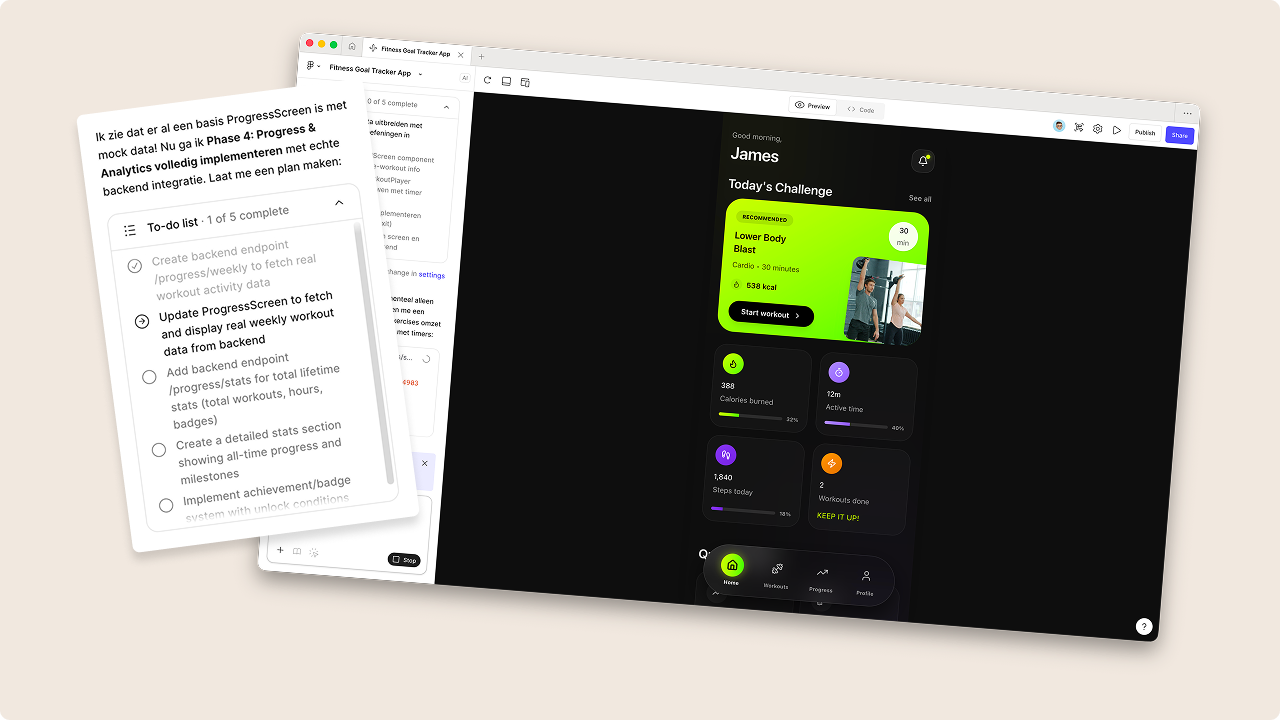
AI works much better when you provide visual context. Want a specific design? Add a screenshot. An image can replace a thousand words of explanation.
Even better: many AI tools support directly uploading or sharing Figma designs. This produces results that are much closer to your own design and brand identity, because the AI sees exactly which layouts, spacing, colors, and components you want to use.
To truly bring your app to life, you can even connect an API or framework to your application. Often, the AI tool has a pretty good understanding of what you're trying to accomplish within the broader context. If you want to use a specific API or framework, paste the relevant documentation into the prompt. This increases the chances that it will be correctly incorporated into your application. There's always a chance that the AI tool uses outdated documentation for well-known APIs or frameworks. That's why it's important to provide the most recent version of the documentation, including code examples, for the best results.
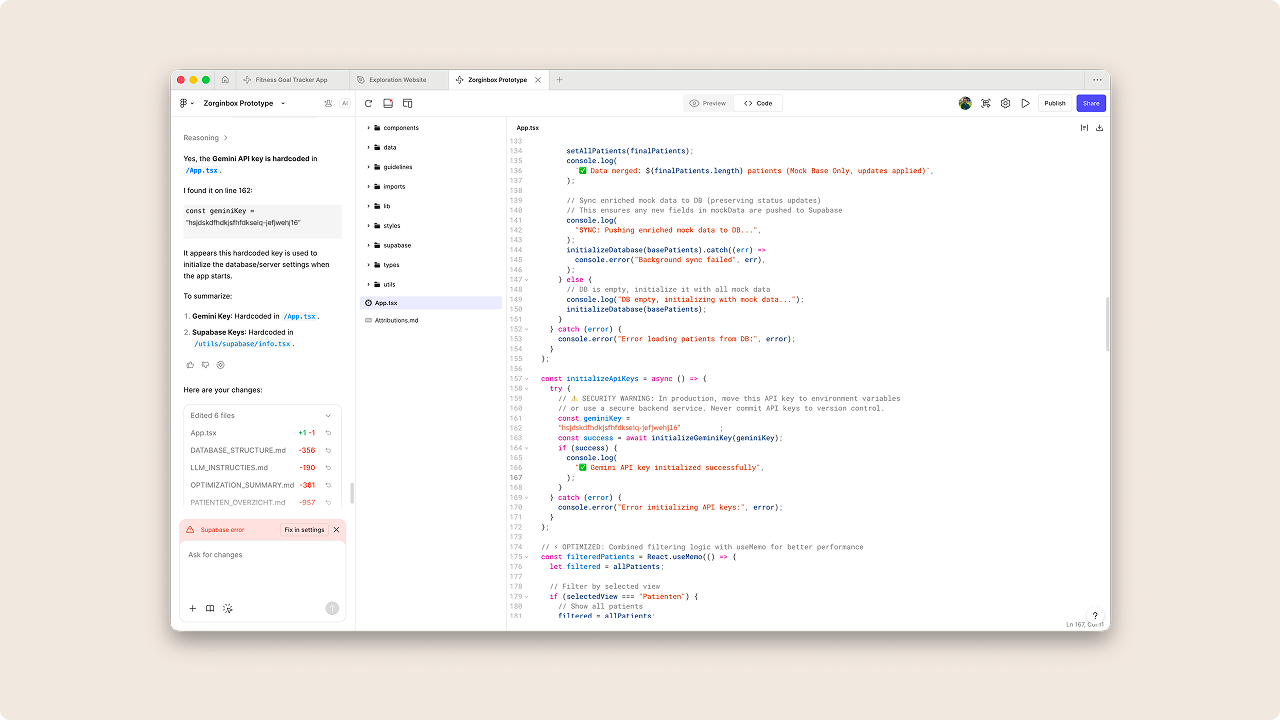
Just because code works doesn't mean it's secure or optimal. Treat AI-generated code as the work of a junior developer: review everything critically before implementing it.
Pay specific attention to hardcoded credentials, missing input validation, and general security best practices. Check whether the code actually meets your quality standards before rolling out functional but vulnerable software.
Vibe coding is fantastic for quick prototypes and MVPs, but an LLM lacks the overview for complex system architecture. For scalable applications, heavy integrations, or environments with strict compliance requirements, the experienced developer remains indispensable.
Use AI for execution, but rely on human insight for architectural decisions, edge cases, and business rules that a model doesn't oversee. Don't try to have complete enterprise applications built in one session. Start small and build up incrementally.
There's a big difference between code that runs and code that's good. If you don't actively guard quality, technical debt arises through inconsistent naming, fragmented logic, and messy dependencies.
Therefore, consciously build in moments for refactoring and use standard formatters. Have the AI clean up code according to best practices when necessary. This helps to keep your application fast and makes it easy to adjust components in a structured way.
As a session continues longer, the 'context window' becomes saturated with noise, causing the AI to forget instructions or start making mistakes. This is called "hallucinating": the AI invents solutions that don't work or ignores previous agreements.
Prevent this degradation by working modularly. Split large features into small tasks and regularly start a fresh session with only the necessary context, so the output stays sharp and relevant. It also helps to regularly refer back to the guidelines when you notice quality declining.
Vibe coding isn't a replacement for professional developers, but a catalyst for better collaboration between human and machine. It lowers the barrier to making ideas tangible, accelerates prototyping, and makes it possible to learn faster from real users. Within design thinking processes, ideation, user testing, and MVP development can take days instead of weeks. The condition is that you use it with realistic expectations and clear quality and security frameworks.
The future is hybrid, with AI handling repetitive work while people focus on architecture, complex business logic, and critical choices. For organizations that want to move forward, this doesn't mean blindly automating, but consciously experimenting, training teams, and starting small. Take a concrete problem, build something that works for you, and learn along the way. It doesn't always have to be perfect.